
Fontmaker
-
4.5
Screenshots





Unleash Your Typographic Creativity with Fontmaker
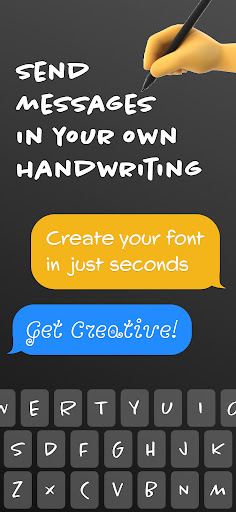
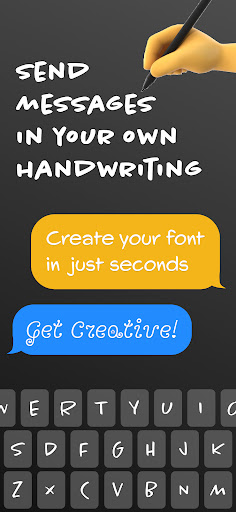
In a digital world dominated by pre-packaged fonts and generic typefaces, Fontmaker emerges as a refreshing tool that puts the power of typography directly into your hands. This mobile app, available for both iOS and Android, allows users to design, create, and export custom fonts seamlessly from their smartphones or tablets. Whether you’re a graphic designer looking for a unique signature typeface, a hobbyist exploring lettering, or a business owner wanting to brand your content with a distinct voice, Fontmaker offers an intuitive and feature-rich experience that rivals desktop software. It transforms your device into a portable font studio, making it one of the most compelling apps in its niche.
Intuitive Design Meets Powerful Functionality
What sets Fontmaker apart from competitors like iFontMaker or Calligraphr is its balance between simplicity and depth. The app’s interface is clean and welcoming, with a minimal learning curve that encourages experimentation. You can start from scratch or trace over templates to craft each character, adjusting parameters like stroke width, curves, and spacing with precision tools similar to professional vector editors. The touch-based interaction feels natural—pinch to zoom, swipe to adjust, and tap to select glyphs. Unlike many mobile typography apps that limit you to a few basic characters, Fontmaker supports a full Unicode set, including accented letters, punctuation, and symbols, ensuring your font works across different languages and platforms.
End-to-End Font Creation in Your Pocket
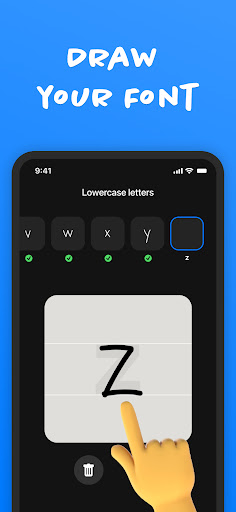
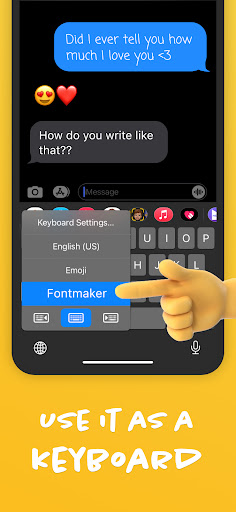
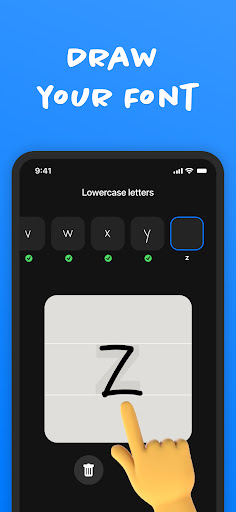
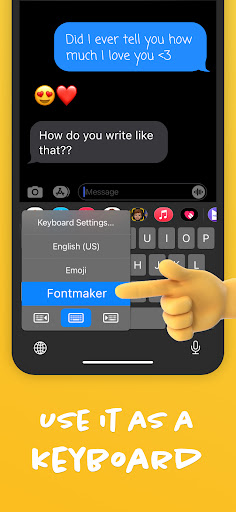
Fontmaker’s core competitive edge lies in its end-to-end workflow. You can draw each glyph using your finger or a stylus, with real-time previews that show how the entire alphabet harmonizes. The app includes advanced features like kerning adjustment, baseline alignment, and weight variation (light, regular, bold), allowing you to fine-tune readability and aesthetics. Once your font is complete, Fontmaker enables instant export in standard formats like .otf and .ttf, which can be installed system-wide on iOS (via configuration profiles) or Android (via third-party launchers), and even used in apps like Procreate, Canva, or Adobe Illustrator. This portability means you can finalize a font during a commute and immediately apply it to a project—a game-changer for freelancers and creatives on the go.
Unique Selling Points That Drive Value
Three key features make Fontmaker stand out in the crowded app market. First, its collaboration tools allow multiple users to edit the same font project in real time, ideal for design teams or educational workshops. Second, the app leverages machine learning to suggest auto-completions for missing glyphs, reducing tedious manual input for large character sets. Third, Fontmaker offers a cloud sync function across devices, so you can start a draft on your iPad and finish it on your iPhone without losing progress. No other mobile font creator combines these capabilities so seamlessly, making it a versatile tool for professional and personal use alike.
Competitive Landscape and Performance
When compared to rivals, Fontmaker excels in speed and stability. While iFontMaker requires a stylus for best results and lacks cloud sync, and Calligraphr focuses on handwriting recognition rather than precise vector editing, Fontmaker strikes a middle ground. It supports both freehand drawing and grid-based construction, catering to different skill levels. Performance-wise, the app runs smoothly even with extensive glyph libraries, thanks to optimized vector rendering. The 4.8-star user rating on app stores underscores its reliability, with reviewers praising its “intuitive interface” and “professional output.” For under $10, Fontmaker delivers a return on investment that rivals expensive desktop software, especially for mobile-first creators.
Who Should Download Fontmaker?
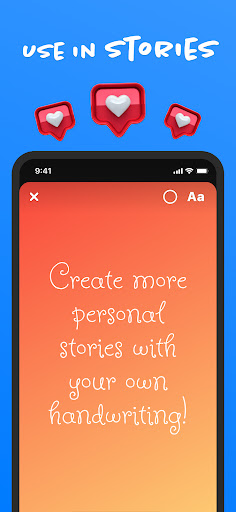
This app is a must-have for anyone who values custom typography. Graphic designers will appreciate the ability to prototype brand fonts instantly; teachers and students can use it for typography lessons; and social media content creators can craft unique headers or captions that stand out. Even if you’ve never designed a font before, Fontmaker’s tutorials and guided steps make the process accessible. With regular updates adding new features like variable font support and SVG export, the app evolves with user needs. In a market where digital identity often revolves around type, Fontmaker empowers you to speak in your own voice—literally.
Final Verdict
Fontmaker is more than a mobile app; it’s a gateway to typographic self-expression. Its blend of user-friendly design, powerful editing tools, and export flexibility positions it as a leader in the mobile font creation space. Whether you’re crafting a personal handwriting font for digital ephemera or building a comprehensive typeface for a client, Fontmaker delivers professional results without the desktop baggage. If you’re ready to break free from the constraints of standard fonts and explore the art of lettering, this app is a worthy companion. Download it today and start shaping your words into visual art.


