Microsoft Outlook
-
4.9
-
Developer
Microsoft Corporation
-
Category
Productivity
-
Version
5.2635.1
-
Android OS
5
-
Downloads
90M
-
Content rating
3
Introduction to Microsoft Outlook
Microsoft Outlook is a powerful email and productivity app that has become a staple for professionals and individuals alike. Designed to streamline communication and organization, Outlook offers a comprehensive suite of tools that go beyond just email management. Whether you're managing your inbox, scheduling meetings, or collaborating with colleagues, Outlook provides a seamless experience across devices.
Key Features of Microsoft Outlook
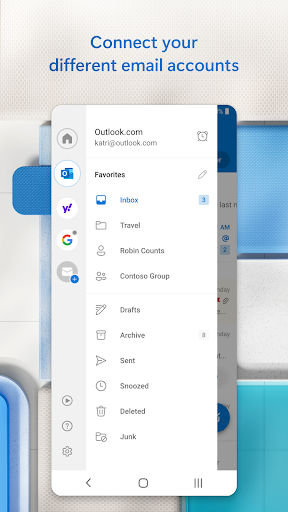
One of the standout features of Microsoft Outlook is its ability to integrate multiple email accounts into a single interface. This means you can manage your work, personal, and even school emails all in one place. The app also supports a wide range of email providers, including Gmail, Yahoo, and iCloud, making it a versatile choice for users with diverse email needs.
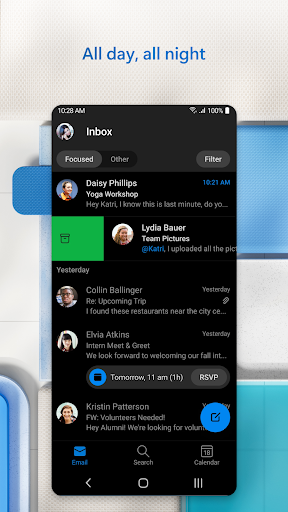
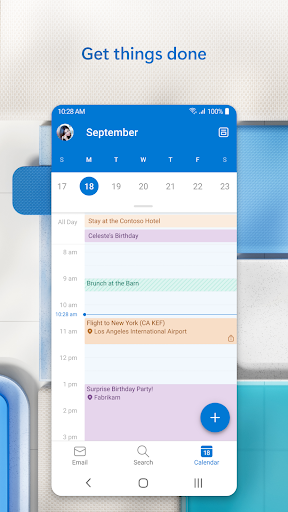
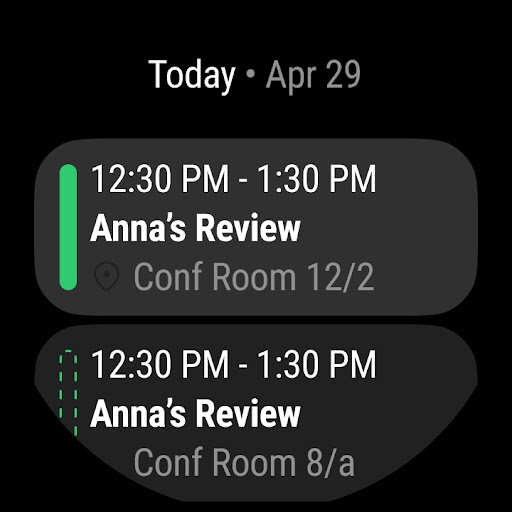
Another notable feature is the Focused Inbox, which automatically sorts your emails into two tabs: Focused and Other. This helps you prioritize important messages and reduces the clutter in your inbox. Additionally, Outlook's built-in calendar allows you to schedule meetings, set reminders, and even share your availability with others, making it an indispensable tool for time management.
User Experience and Interface
Microsoft Outlook boasts a clean and intuitive interface that is easy to navigate. The app's design is both modern and functional, with a focus on user experience. The layout is customizable, allowing you to tailor the app to your specific needs. Whether you prefer a minimalist view or a more detailed layout, Outlook offers the flexibility to adjust the interface to your liking.
The app also supports dark mode, which is a welcome feature for users who prefer a darker theme, especially during nighttime use. The dark mode not only reduces eye strain but also conserves battery life on devices with OLED screens.
Integration with Microsoft 365
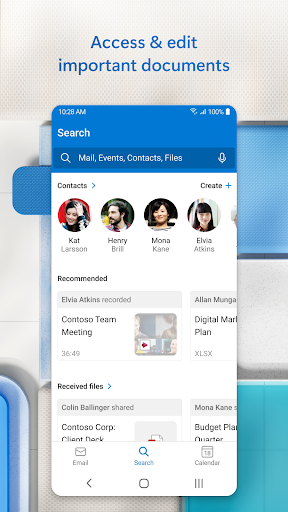
One of the biggest advantages of using Microsoft Outlook is its seamless integration with Microsoft 365. This integration allows you to access other Microsoft apps like Word, Excel, and Teams directly from Outlook. For example, you can open and edit Word documents or Excel spreadsheets without leaving the app, making it a powerful tool for productivity.
Moreover, Outlook's integration with Microsoft Teams enables you to join meetings, chat with colleagues, and share files effortlessly. This level of integration is particularly beneficial for businesses and teams that rely on Microsoft's ecosystem for their daily operations.
Security and Privacy
Security is a top priority for Microsoft, and Outlook is no exception. The app offers robust security features, including two-factor authentication, encryption, and advanced threat protection. These features ensure that your emails and data are protected from unauthorized access and cyber threats.
Outlook also includes a built-in spam filter that automatically detects and blocks suspicious emails. This not only keeps your inbox clean but also protects you from phishing attacks and malware. Additionally, the app allows you to set up custom rules for filtering emails, giving you even more control over your inbox.
Cross-Platform Availability
Microsoft Outlook is available on multiple platforms, including iOS, Android, Windows, and macOS. This cross-platform availability ensures that you can access your emails and calendar from any device, at any time. The app also syncs seamlessly across devices, so you can pick up where you left off, whether you're on your phone, tablet, or computer.
For users who frequently switch between devices, Outlook's cross-platform functionality is a significant advantage. It ensures that your data is always up-to-date and accessible, no matter which device you're using.
Conclusion
Microsoft Outlook is more than just an email app; it's a comprehensive productivity tool that can help you stay organized and efficient. With its robust features, intuitive interface, and seamless integration with Microsoft 365, Outlook is a top choice for both individuals and businesses. Whether you're managing multiple email accounts, scheduling meetings, or collaborating with colleagues, Outlook provides the tools you need to stay on top of your tasks.
If you're looking for a reliable and feature-rich email app, Microsoft Outlook is definitely worth considering. Its combination of functionality, security, and cross-platform availability makes it a standout choice in the crowded market of email and productivity apps.
Screenshots