
Microsoft Office
-
4.8
Screenshots
Introduction: The Power of Office in Your Pocket
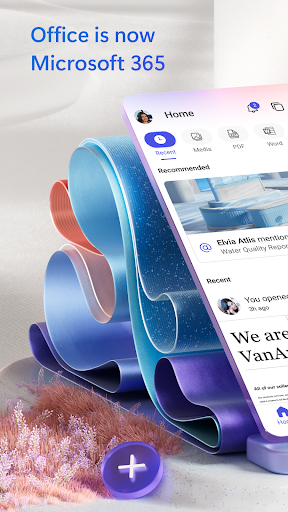
In an increasingly mobile world, the ability to work, create, and collaborate on the go is no longer a luxury but a necessity. Microsoft Office, a name synonymous with productivity for decades, has gracefully transitioned from desktop giants like Word, Excel, and PowerPoint to a unified, powerful mobile experience. The Microsoft Office app for iOS and Android is more than just a collection of lite versions; it’s a masterfully integrated hub that brings the full potential of office productivity to your smartphone or tablet, redefining what it means to be efficient outside the office.
Unified Hub: One App to Rule Them All
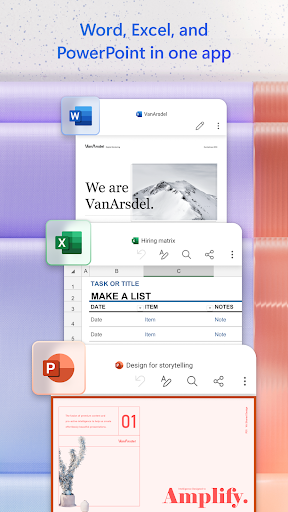
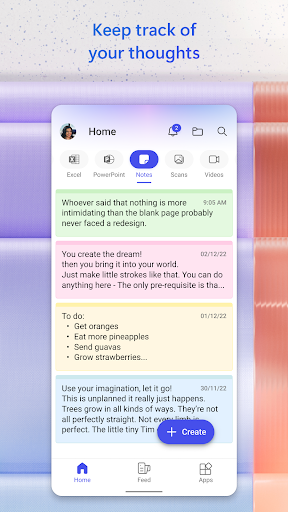
The standout feature of this app is its seamless unification. Gone are the days of juggling three separate icons for Word, Excel, and PowerPoint. Instead, you get a single, elegant interface that consolidates all your documents, spreadsheets, and presentations. The home screen provides a personalized feed of your most recent files, pulled from your device, OneDrive, or even other cloud services like Dropbox and Google Drive. This consolidated view drastically reduces friction, allowing you to instantly access, edit, and switch between different document types without breaking your workflow. It’s a paradigm shift from app-specific silos to a document-centric environment, making the app feel less like a tool and more like a personal assistant for your work.
Touch-Optimized Creation and Editing
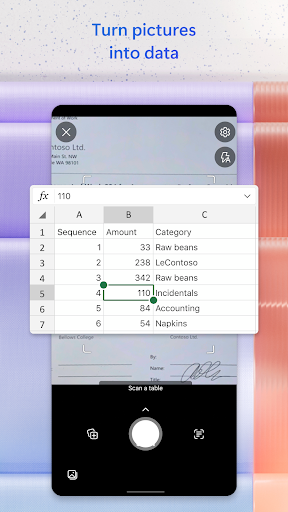
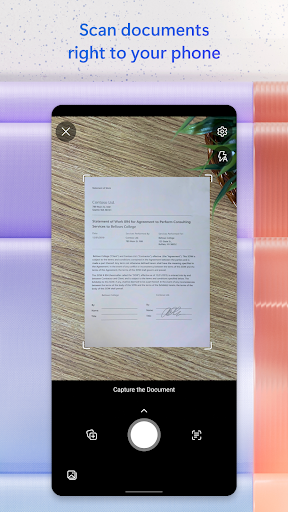
Many critics feared that complex Office tasks would be impossible on a small screen, but Microsoft has masterfully optimized the user interface for touch interaction. The editing experience is surprisingly robust. Word maintains formatting with near-perfect fidelity, Excel’s touch gestures for selecting cells, creating formulas, and inserting charts are intuitive and responsive, and PowerPoint allows for smooth slide creation with fluid animations. The addition of a customizable toolbar that puts your most-used commands front and center ensures you’re not hunting through endless menus. For power users, the ability to convert images of tables or text into editable content via the "Lens" feature is a game-changer, transforming your phone into a powerful document scanner.
Seamless Collaboration and Cloud Integration
In today’s collaborative work environment, real-time co-authoring is crucial, and Microsoft Office Mobile delivers it flawlessly. You can invite colleagues to edit a document simultaneously, with changes visible in real-time and a built-in chat function that eliminates the need to switch to a separate messaging app. The deep integration with OneDrive is a particular strength, allowing you to sync files instantly across all your devices. However, the app’s intelligence doesn’t stop there. It also integrates with To-Do, allowing you to turn email tasks into actionable items, and with Microsoft Teams, providing a direct link to your team communications. This ecosystem synergy is what sets the app apart from competitors like Google Docs, offering a more comprehensive, enterprise-ready environment.
Intelligence and Automation with AI
Microsoft Office is no longer just a typing tool; it’s an intelligent assistant. The app leverages AI to enhance productivity in subtle yet powerful ways. For example, "Ideas" in Excel can automatically suggest charts, trends, and formulas based on your data, saving you hours of manual analysis. In Word, Microsoft Editor provides advanced grammar, style, and clarity suggestions that go far beyond simple spell-check, ensuring your writing is polished and professional. The app also integrates with PowerPoint’s "Designer," which uses AI to suggest stunning slide layouts and image treatments. These features democratize advanced skills, making every user feel like a data analyst or a graphic designer.
Competitive Edge and Final Verdict
Compared to other mobile productivity suites, Microsoft Office holds a distinct competitive advantage. While Google Docs offers simplicity and collaboration, it lacks the native formatting fidelity and advanced features of Excel and PowerPoint that professionals rely on. Apple’s iWork is elegant but limited to the Apple ecosystem. With a Microsoft 365 subscription, you unlock additional cloud storage, premium features, and access to the full desktop applications, making the mobile app a perfect companion rather than a substitute. For free users, the app still provides a stellar reading and basic editing capability. In conclusion, the Microsoft Office mobile app is an indispensable, beautifully engineered productivity powerhouse that proves you can indeed carry your entire office in your pocket. It’s not just a review; it’s a recommendation for anyone serious about staying productive on the move.


