CamScanner - Scanner to scan PDF
-
4.6
-
Developer
INTSIG Information Co.,Ltd
-
Category
Productivity
-
Version
5.20.0.20200603
-
Android OS
4.4
-
Downloads
980M
-
Content rating
3
Introduction: The All-in-One Document Scanner That Redefines Productivity
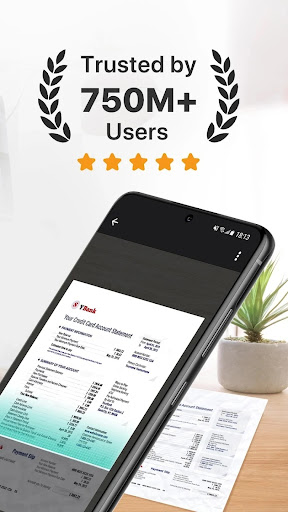
In today’s fast-paced digital world, the need for quick and efficient document management is paramount. Enter CamScanner, a mobile app that has revolutionized the way we capture, scan, and organize documents on the go. With over 500 million downloads globally, CamScanner stands out as a powerhouse in the scanning and productivity space, offering features that bridge the gap between a physical scanner and a digital office. Whether you’re a student, a professional, or a small business owner, CamScanner promises to turn your smartphone into a portable scanning powerhouse.
Unique Selling Points: What Makes CamScanner a Cut Above the Rest?
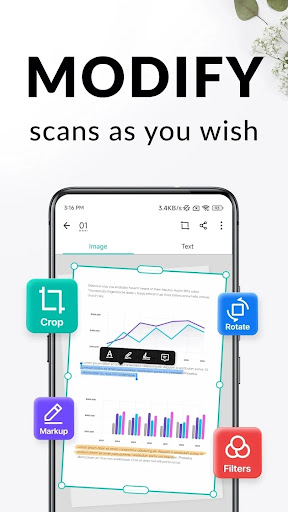
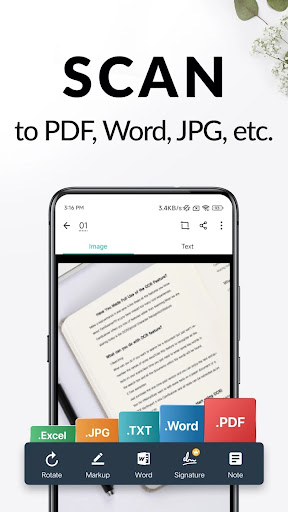
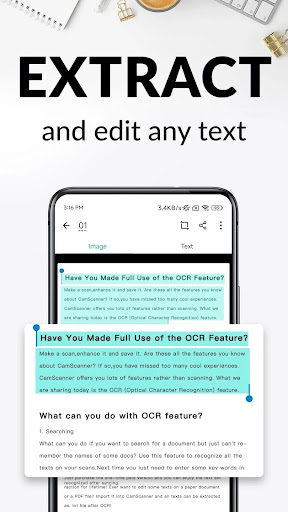
CamScanner’s core strength lies in its ability to produce high-quality scans that rival traditional scanners. Its advanced image processing technology automatically adjusts perspective, enhances contrast, and removes unwanted shadows, resulting in clear, crisp PDFs or JPEGs. The app also leverages optical character recognition (OCR) to extract text from scans, making it searchable and editable—a game-changer for those dealing with lengthy contracts or lecture notes. Moreover, CamScanner goes beyond basic scanning with smart cropping and filtering options, such as "Magic Color" and "Black and White," ensuring that every document looks professional with minimal effort.
Competitiveness: How CamScanner Outshines Rivals
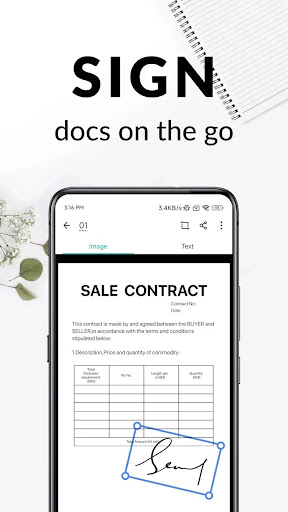
Compared to competitors like Adobe Scan and Microsoft Lens, CamScanner offers a more comprehensive suite of features. While other apps focus solely on scanning, CamScanner integrates cloud storage (Google Drive, Dropbox, OneDrive), document editing, and sharing in one platform. Its AI-powered features, such as auto-enhancement and intelligent text recognition, are often more accurate than those of rivals. Additionally, CamScanner’s user-friendly interface supports batch scanning—scanning multiple pages into a single PDF—without the lag or complexity found in alternatives. For users seeking a holistic document management solution, CamScanner’s ability to add watermarks, annotations, and digital signatures gives it an edge in both personal and professional settings.
User Experience: Seamless, Intuitive, and Reliable
Navigating CamScanner feels effortlessly intuitive. The app’s layout is cleanly organized, with a prominent camera button for instant scanning and a library view for sorted documents. Users can categorize scans into folders, name them, and even share them via email or social media directly from the app. Performance-wise, scans are processed in seconds, and the app runs smoothly on both Android and iOS devices, even with large files. The free version includes essential features, while the premium subscription unlocks unlimited OCR, cloud storage, and ad-free usage. Notably, CamScanner’s offline mode ensures productivity even without internet access—a rare and valuable advantage for travelers or remote workers.
Practical Applications: From Classrooms to Boardrooms
CamScanner’s versatility makes it indispensable across various scenarios. Students can digitize handwritten notes and textbooks, making them searchable and reducing physical clutter. Professionals can scan business cards into their contact lists, convert receipts into expense reports, or sign contracts remotely. Small business owners benefit from the ability to send invoices in PDF format instantly. Even creative users can scan sketches or artwork for digital portfolios. The app’s 200+ language support for OCR further enhances its global appeal, breaking down language barriers in document processing.
Conclusion: Is CamScanner Worth Your Download?
In summary, CamScanner is more than just a scanning app—it’s a complete document management ecosystem. Its blend of cutting-edge AI, robust editing tools, and seamless cloud integration makes it a top-tier choice for anyone looking to streamline their workflow. While the free version is robust, the subscription model offers significant value for heavy users. With its consistent updates and strong user community, CamScanner remains a reliable companion in the digital age. For those seeking efficiency, accuracy, and versatility in document management, CamScanner is a clear winner.
Screenshots