Google Slides
-
4.6
-
Developer
Google LLC
-
Category
Productivity
-
Version
1.24.502.00.90
-
Android OS
4.4
-
Downloads
20M
-
Content rating
3
Introduction to Google Slides
Google Slides is a powerful, cloud-based presentation tool developed by Google. It is part of the Google Workspace suite, which includes other productivity tools like Google Docs and Google Sheets. Google Slides allows users to create, edit, and share presentations online, making it an excellent choice for both personal and professional use. With its intuitive interface and robust features, Google Slides has become a go-to solution for anyone looking to create visually appealing presentations.
Key Features of Google Slides
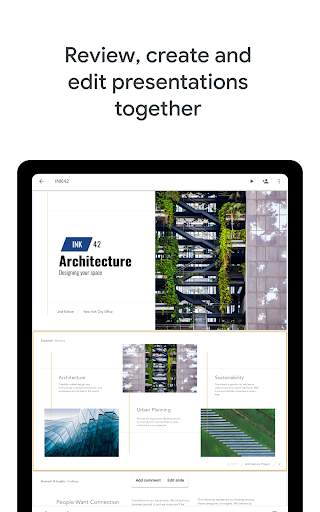
One of the standout features of Google Slides is its real-time collaboration capability. Multiple users can work on the same presentation simultaneously, with changes being reflected instantly. This feature is particularly useful for teams working on group projects or businesses preparing for important meetings. Additionally, Google Slides offers a wide range of templates, themes, and layouts, allowing users to create professional-looking presentations with minimal effort.
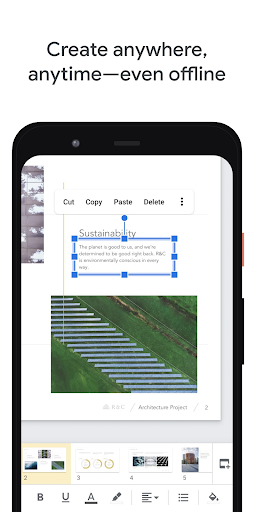
Another notable feature is the seamless integration with other Google services. Users can easily import data from Google Sheets, embed videos from YouTube, and insert images from Google Drive. The app also supports offline editing, enabling users to work on their presentations without an internet connection. Once the connection is restored, all changes are automatically synced to the cloud.
User Experience and Interface
Google Slides boasts a clean and user-friendly interface that is easy to navigate, even for those who are not tech-savvy. The toolbar is well-organized, with all essential tools and options readily accessible. Users can easily add text, images, charts, and animations to their slides, making the creation process straightforward and efficient.
The app also offers a variety of customization options, allowing users to tailor their presentations to their specific needs. From adjusting slide transitions to changing font styles and colors, Google Slides provides ample flexibility to create unique and engaging presentations. The preview feature lets users see how their presentation will look before finalizing it, ensuring a polished end product.
Collaboration and Sharing
Collaboration is at the heart of Google Slides. The app allows users to share their presentations with others via a simple link, granting them either viewing or editing access. Comments and suggestions can be added directly to the slides, facilitating clear and effective communication among team members. The revision history feature is another valuable tool, enabling users to track changes and revert to previous versions if needed.
Google Slides also supports integration with third-party apps and services, such as Slack and Microsoft Teams, further enhancing its collaboration capabilities. This makes it an ideal choice for businesses and educational institutions that rely on teamwork and communication.
Cross-Platform Compatibility
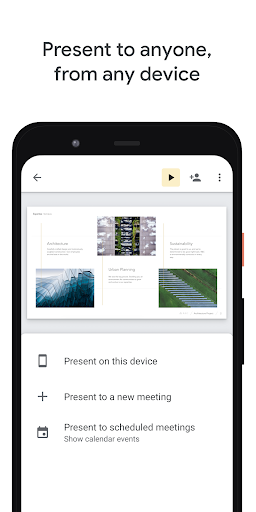
One of the major advantages of Google Slides is its cross-platform compatibility. The app is accessible via web browsers on desktops and laptops, and it also has dedicated mobile apps for iOS and Android devices. This ensures that users can access and edit their presentations from virtually any device, providing unparalleled convenience and flexibility.
The mobile app retains most of the features available in the desktop version, allowing users to create and edit slides on the go. While the mobile interface is slightly more compact, it is still highly functional and user-friendly. The ability to work across multiple platforms makes Google Slides a versatile tool for users who are always on the move.
Security and Privacy
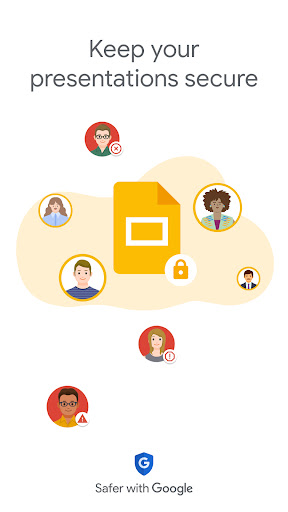
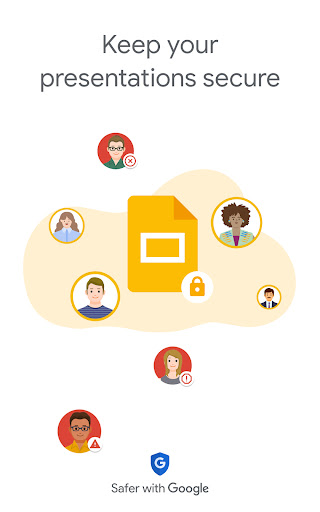
Google Slides takes security and privacy seriously. All presentations are stored in Google Drive, which offers robust encryption and security measures to protect user data. Users can control who has access to their presentations, with options to set permissions for viewing, commenting, or editing. Additionally, Google Slides complies with various data protection regulations, ensuring that user information is handled responsibly.
For businesses, Google Workspace offers advanced security features, such as two-factor authentication and data loss prevention, providing an extra layer of protection for sensitive information. This makes Google Slides a reliable choice for organizations that prioritize data security.
Conclusion
Google Slides is a versatile and user-friendly presentation tool that offers a wide range of features to meet the needs of both individuals and teams. Its real-time collaboration, cross-platform compatibility, and robust security measures make it a standout choice in the crowded market of presentation software. Whether you're preparing for a business meeting, working on a school project, or creating a personal presentation, Google Slides provides all the tools you need to succeed. With its continuous updates and improvements, Google Slides remains a top contender in the world of digital presentations.
Screenshots