
WPS Office
-
4.1
Screenshots


Unleashing Productivity: A Comprehensive Review of WPS Office
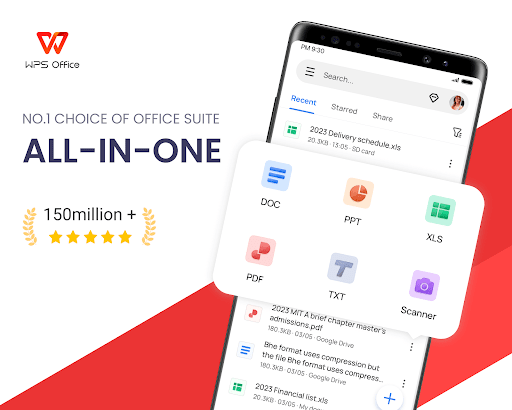
In the ever-evolving landscape of mobile productivity suites, WPS Office stands out as a versatile and powerful tool that bridges the gap between functionality and user-friendliness. Designed to replace traditional desktop office software on the go, this app has garnered millions of downloads worldwide due to its robust feature set and seamless performance. Whether you're a student drafting essays, a professional editing spreadsheets, or a creative crafting presentations, WPS Office offers an all-in-one solution that rivals even premium competitors like Microsoft Office and Google Workspace.
Seamless Cross-Platform Integration and Storage Options
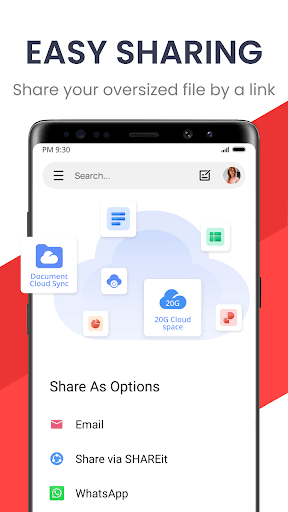
One of WPS Office's most compelling strengths is its ability to sync effortlessly across multiple devices. With native support for cloud storage services such as Google Drive, Dropbox, and Box, as well as its own WPS Cloud, users can access, edit, and save documents from anywhere. The app's cross-platform compatibility ensures that files opened on an Android phone can be seamlessly continued on an iPhone or a PC, maintaining formatting and layout integrity. This fluidity is a game-changer for remote workers or students who switch between devices frequently, eliminating the frustration of file version conflicts or format glitches.
Powerful Document Editing with Premium Features
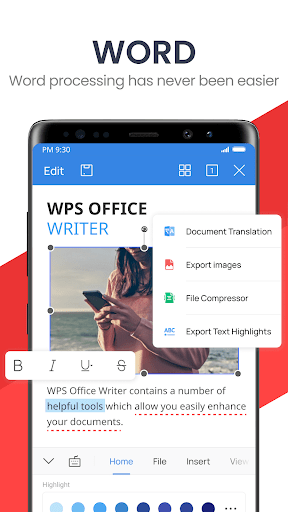
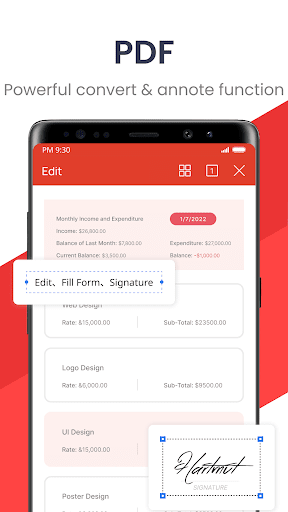
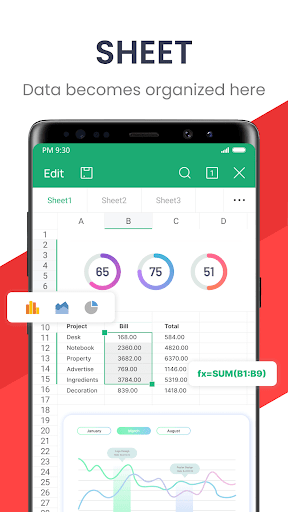
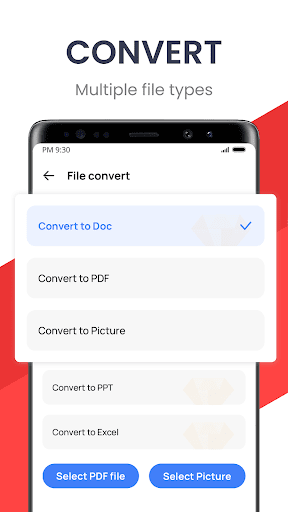
Bundled with Writer, Spreadsheet, and Presentation modules, WPS Office packs a punch with editing capabilities that go beyond basic functionalities. The Writer tool supports extensive formatting options, from advanced text styling and table creation to inserting headers, footers, and watermarks. Its spreadsheet module rivals Excel in formula compatibility and chart creation, while the presentation tool offers elegant templates and transition effects. Additionally, the app features a built-in PDF converter, which allows users to create, edit, and annotate PDFs directly—a feature often locked behind paywalls in competing apps. For power users, the premium version unlocks OCR (Optical Character Recognition) for scanned documents, cloud storage expansion, and ad-free experience, making it a cost-effective alternative to subscription-based suites.
User-Friendly Interface and Gesture Controls
WPS Office excels in user experience with a clean, intuitive interface that minimizes learning curves. The mobile version includes gesture controls for quick access, such as swiping to copy or paste, and a customizable toolbar that prioritizes frequently used functions. Night mode support reduces eye strain during late hours, and the app's lightweight design ensures smooth performance even on older devices. Unlike some competitors that feel cluttered, WPS Office organizes tools into logical tabs, allowing users to focus on their work without distraction. The integration of a built-in file manager further enhances efficiency, enabling users to organize, rename, or delete files directly within the app.
Collaboration and Sharing Made Effortless
In today's connected world, collaboration is key, and WPS Office delivers with robust sharing features. Users can easily share documents via email, messaging apps, or QR codes, and even track edits in real-time through collaborative annotation tools. The app supports password protection for sensitive files, adding a layer of security that is vital for business users. For teams, the ability to comment and suggest changes in documents fosters streamlined feedback loops, rivaling the collaborative capabilities of Google Docs. With WPS Office, the need for emailing attachments back and forth becomes a relic of the past.
Pricing and Verdict
Perhaps the most attractive aspect of WPS Office is its freemium model. While the free version already includes most essential features without limitations on document sizes, the premium upgrade offers ad-free usage, expanded cloud storage, and advanced tools like OCR and template access. At a fraction of the cost of Microsoft 365 subscriptions, it provides exceptional value for budget-conscious users. In summary, WPS Office is not just a mobile office suite; it's a comprehensive productivity platform that adapts to modern workflows. With its robust editing tools, seamless cross-device synchronization, and affordable pricing, it earns a top spot among mobile office apps and is a must-try for anyone seeking a reliable companion for work and study.


