
Canon PRINT
-
4.9
Screenshots



Introduction to Canon PRINT Inkjet/SELPHY
Canon PRINT Inkjet/SELPHY is a versatile mobile app designed to enhance your printing experience. Whether you're using an Inkjet or SELPHY printer, this app allows you to print photos and documents directly from your smartphone or tablet. With its user-friendly interface and robust features, Canon PRINT Inkjet/SELPHY is a must-have for anyone who frequently needs to print on the go.
Key Features
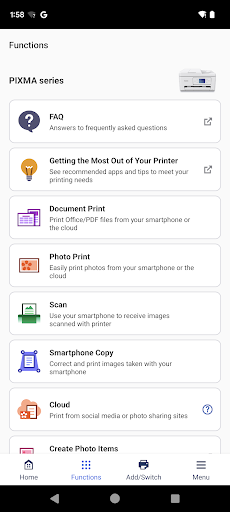
One of the standout features of Canon PRINT Inkjet/SELPHY is its ability to connect seamlessly with a wide range of Canon printers. The app supports both Wi-Fi and Bluetooth connections, ensuring that you can print from virtually anywhere. Additionally, the app offers a variety of printing options, including borderless printing, multiple photo layouts, and even the ability to print directly from social media platforms like Facebook and Instagram.
User-Friendly Interface
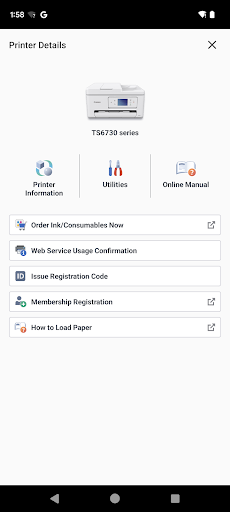
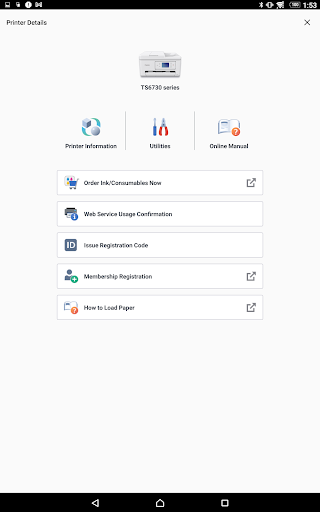
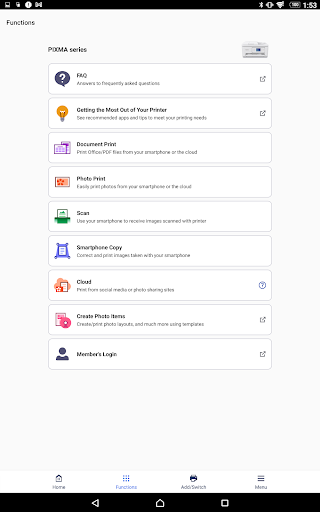
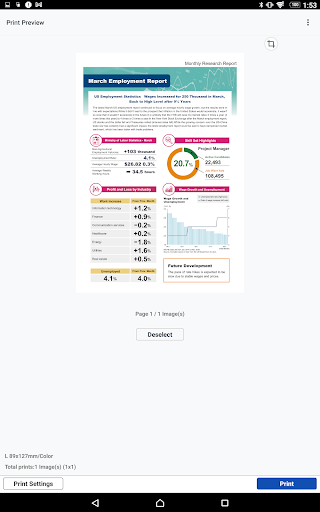
The app boasts a clean and intuitive interface that makes it easy for users of all skill levels to navigate. The main screen provides quick access to essential functions such as photo printing, document printing, and scanning. The app also includes a helpful tutorial section for first-time users, ensuring that you can get started with minimal hassle.
Print Quality
When it comes to print quality, Canon PRINT Inkjet/SELPHY does not disappoint. The app allows you to adjust settings such as paper type, print size, and color balance to ensure that your prints come out exactly as you want them. Whether you're printing a high-resolution photo or a text-heavy document, the app delivers crisp, clear results every time.
Compatibility
Canon PRINT Inkjet/SELPHY is compatible with a wide range of Canon printers, including popular models like the PIXMA and SELPHY series. The app is available for both iOS and Android devices, making it accessible to a broad audience. Additionally, the app supports various file formats, including JPEG, PDF, and Microsoft Office documents, ensuring that you can print virtually any type of file.
Additional Features
Beyond basic printing, Canon PRINT Inkjet/SELPHY offers several additional features that enhance its functionality. For instance, the app includes a scanning feature that allows you to scan documents directly to your mobile device. You can also save scanned documents as PDFs or JPEGs, making it easy to share them via email or cloud storage services. Another notable feature is the ability to print ID photos, which can be particularly useful for official documents and applications.
Conclusion
In summary, Canon PRINT Inkjet/SELPHY is a powerful and versatile app that simplifies the printing process for mobile users. Its user-friendly interface, high-quality print options, and wide range of compatible devices make it an excellent choice for anyone in need of a reliable mobile printing solution. Whether you're printing photos, documents, or ID photos, Canon PRINT Inkjet/SELPHY has you covered.
Final Thoughts
If you're looking for a mobile app that offers a seamless printing experience, Canon PRINT Inkjet/SELPHY is definitely worth considering. Its robust features, ease of use, and compatibility with a wide range of Canon printers make it a standout choice in the crowded field of mobile printing apps. Download it today and experience the convenience of printing from your smartphone or tablet.


