Surfshark VPN
-
4.1
-
Developer
Surfshark B.V.
-
Category
Tools
-
Version
2.7.1.5
-
Android OS
Varies with device
-
Downloads
940M
-
Content rating
0
Introduction
In a digital landscape where privacy concerns are paramount, Surfshark VPN emerges as a compelling contender, offering a blend of affordability, robust security, and user-friendly features. Unlike many competitors, this app prioritizes accessibility without compromising on performance, making it a standout choice for both casual users and privacy enthusiasts. Whether you're streaming, browsing, or working remotely, Surfshark provides a seamless shield against online threats.
Key Features: A Deep Dive into Privacy and Performance
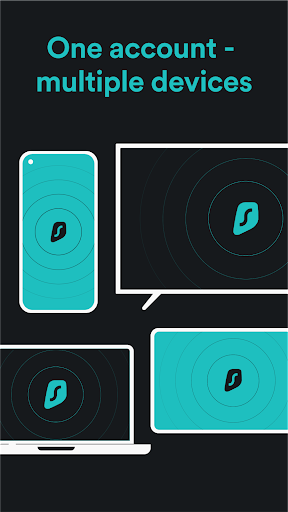
Surfshark VPN distinguishes itself with a suite of features designed to enhance online freedom. Its CleanWeb technology blocks ads, trackers, and malware, ensuring a clutter-free browsing experience. The NoBorders mode is particularly noteworthy, bypassing internet restrictions in restrictive regions—a lifesaver for travelers or users in countries with heavy censorship. Additionally, the app supports unlimited simultaneous connections, allowing you to protect every device in your household without extra costs. This is a rare perk that sets it apart from rivals like NordVPN or ExpressVPN, which limit connections to five or six devices.
Performance-wise, Surfshark delivers consistent speed, thanks to its 3,200+ servers across 100 countries. While it may not always match the top-tier speeds of ExpressVPN, the difference is negligible for most activities like streaming or browsing. The WireGuard protocol ensures fast, secure connections, and the app’s kill switch automatically halts internet traffic if the VPN drops, preventing data leaks. For privacy purists, the strict no-logs policy and RAM-only servers provide peace of mind, as no user data is stored.
User Experience: Intuitive Design and Reliability
The mobile app’s interface is clean and straightforward, making it easy for beginners to navigate. Upon opening, a simple toggle button activates the VPN, with a world map showing server locations. You can search for specific countries or use the Quick Connect feature for the optimal server based on your location. This simplicity doesn’t sacrifice power; advanced users can access settings like protocol selection (OpenVPN, IKEv2, WireGuard) or custom DNS configurations.
Surfshark also excels in bypassing geo-restrictions for streaming platforms. It reliably unblocks Netflix libraries from the US, UK, and Japan, as well as Disney+, Hulu, and BBC iPlayer. While some competitors may struggle with Netflix’s VPN detection, Surfshark’s Smart DNS and rotating IP addresses keep you streaming without interruptions. Battery drain is minimal, and the app runs smoothly in the background without hogging resources—a crucial aspect for mobile devices.
Competitiveness: How Surfshark Stacks Up
Priced competitively, Surfshark undercuts many premium VPNs while offering features that often come at a higher cost. Its affordability is a major selling point, especially for budget-conscious users. However, some advanced features like dedicated IP addresses or multi-hop connections are missing compared to providers like ProtonVPN or Mullvad. That said, the built-in ad blocker and unlimited device support more than compensate for these gaps.
Customer support is another strength, with 24/7 live chat and a knowledge base that addresses common issues. The app’s Trustpilot rating of 4.4 stars reflects high user satisfaction, though occasional connection drops in remote servers have been noted. Overall, Surfshark offers an excellent balance of cost, speed, and security, making it a top recommendation for anyone seeking a reliable mobile VPN.
Conclusion
Surfshark VPN for mobile is a well-rounded tool that delivers on its promises of privacy, speed, and accessibility. Its unique selling points—unlimited devices, CleanWeb, and NoBorders—cater to a wide audience, from frequent travelers to privacy-focused individuals. While it may not be the absolute fastest or most feature-rich option, its competitive pricing and solid performance make it a wise investment. If you’re looking for a VPN that balances value with robust protection, Surfshark is a trustworthy companion in your digital toolkit.
Screenshots