Move to iOS
-
4.4
-
Developer
Apple Inc.
-
Category
Tools
-
Version
4.0.1
-
Android OS
4.3
-
Downloads
880M
-
Content rating
3
Pros
Move to iOS lets you wirelessly transfer contacts, message history, photos, videos, web bookmarks, mail accounts, and calendars from Android to iPhone during setup. The direct device-to-device connection simplifies migration without cables or third-party apps, minimizing manual re-entry and preserving organization and metadata for a faster, more accurate switch.
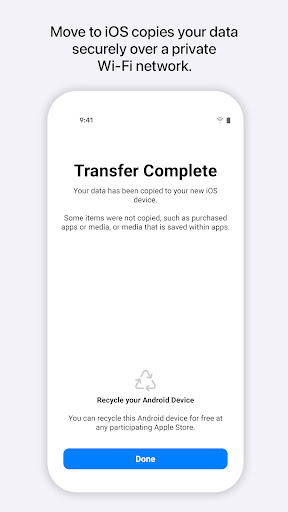
By creating a private Wi‑Fi network between devices, Move to iOS keeps your data off the internet and avoids cloud intermediaries. Transfers are encrypted and completed locally during setup, giving you control and reducing exposure risk while ensuring sensitive information like messages and account details stay secure throughout the migration.
Designed for simplicity, Move to iOS integrates into the iPhone setup process with step‑by‑step prompts requiring only a code and a few taps. Even nontechnical users can complete most migrations quickly, saving hours compared with manual transfer and reducing frustration when moving apps, photos, and important settings.
Cons
Move to iOS relies on Wi‑Fi Direct between devices, which can be unstable. Transfers often fail, stall, or drop connection mid-process, forcing restarts and repeated attempts. Interference from routers, incompatible network settings, or crowded wireless environments makes successful migration unreliable, especially for large backups.
It doesn't transfer everything. Apps themselves, saved passwords, some music (DRM‑protected content), certain document formats, and specific app data often won't move. Users must manually reinstall apps, re-authorize accounts, and locate missing files, which undermines the promise of a seamless switch and increases time spent after migration.
The app must be used during initial iPhone setup and requires sufficient free space on the new device. If your iPhone is already configured you’ll need to erase it to use Move to iOS. Large transfers are slow and battery‑intensive, making the process inconvenient for users needing flexibility or a quick migration.
Screenshots