Amazon Kindle
-
4.8
-
Developer
Amazon Mobile LLC
-
Category
Books & Reference
-
Version
8.51.1.0_1.3.272119.0_
-
Android OS
Varies with device
-
Downloads
330M
-
Content rating
0
Amazon Kindle App: Your Portable Library
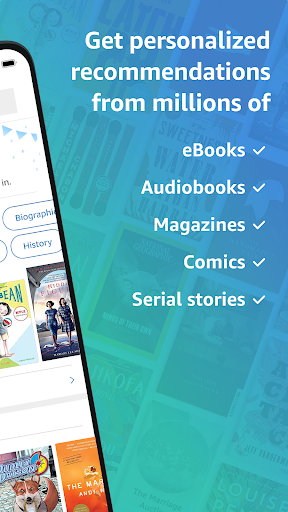
The Amazon Kindle app is a must-have for book lovers who want to carry their entire library in their pocket. Available on both iOS and Android devices, this app transforms your smartphone or tablet into a powerful e-reader, offering access to millions of books, magazines, and audiobooks. Whether you're a casual reader or a voracious bookworm, the Kindle app provides a seamless reading experience that rivals the physical Kindle device.
User-Friendly Interface
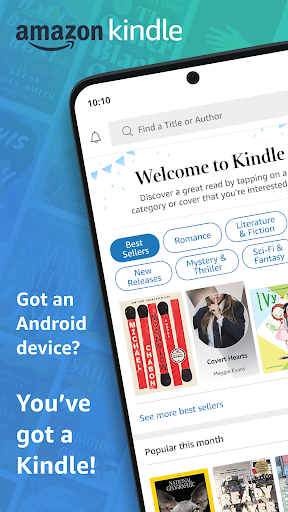
One of the standout features of the Amazon Kindle app is its intuitive and user-friendly interface. The app is designed to make navigation effortless, allowing users to browse, purchase, and read books with ease. The home screen displays your library, recommendations, and recent reads, ensuring you can quickly pick up where you left off. The search function is robust, enabling you to find specific titles, authors, or genres in seconds.
Customizable Reading Experience
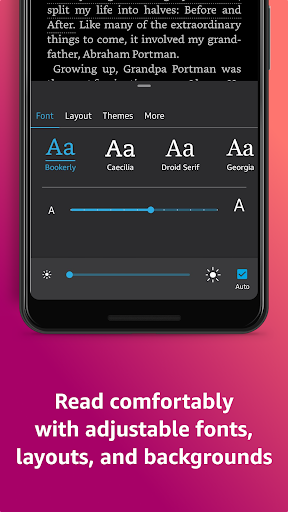
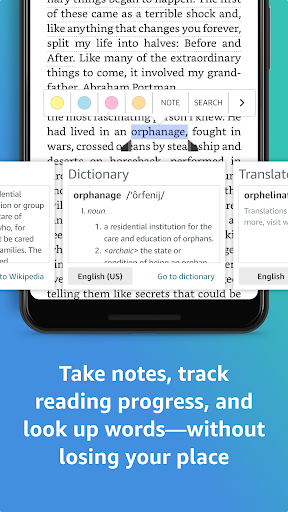
The Kindle app offers a highly customizable reading experience, catering to individual preferences. You can adjust font size, font type, and line spacing to suit your comfort level. The app also supports both light and dark modes, making it easier to read in different lighting conditions. For those who enjoy reading at night, the app includes a blue light filter to reduce eye strain. Additionally, the app allows you to highlight text, add notes, and bookmark pages, making it an excellent tool for students and professionals alike.
Sync Across Devices
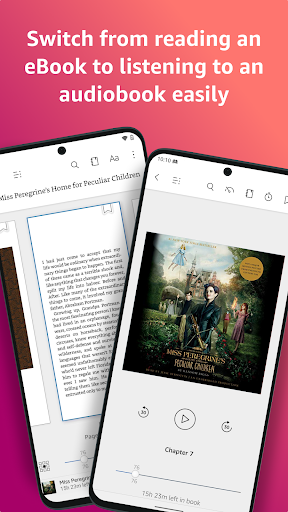
One of the most convenient features of the Kindle app is its ability to sync across multiple devices. Whether you're reading on your phone, tablet, or Kindle e-reader, your progress, bookmarks, and notes are automatically synced. This means you can start reading on one device and continue on another without missing a beat. The app also supports Whispersync, which syncs your audiobook and eBook progress, allowing you to switch between reading and listening seamlessly.
Extensive Library and Exclusive Content
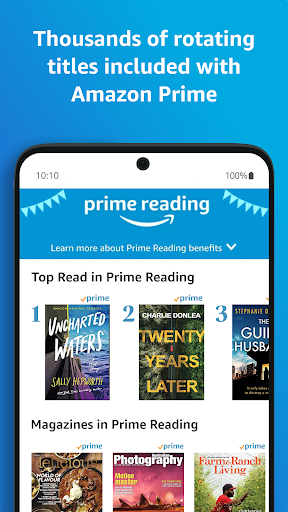
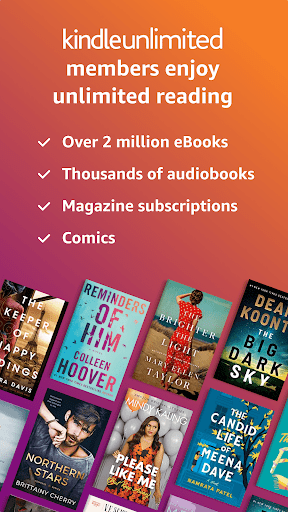
The Amazon Kindle app provides access to an extensive library of over a million titles, including bestsellers, classics, and indie publications. Amazon frequently offers discounts and free books, making it easy to expand your library without breaking the bank. The app also features exclusive content, such as Kindle Singles and Amazon Originals, which are not available elsewhere. For Prime members, the Kindle app offers additional perks, including access to Prime Reading and the Kindle Owners' Lending Library.
Audiobook Integration
For those who prefer listening to books, the Kindle app integrates seamlessly with Audible, Amazon's audiobook service. You can switch between reading and listening with a single tap, making it perfect for multitaskers or those who enjoy consuming content in different formats. The app also supports offline listening, so you can download audiobooks and enjoy them without an internet connection.
Parental Controls and Family Sharing
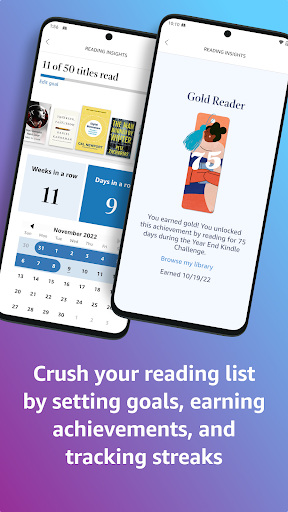
The Kindle app includes robust parental controls, allowing parents to manage their children's reading habits. You can set reading goals, restrict access to certain content, and monitor reading activity. Additionally, the app supports Family Library, which enables you to share your Kindle books with up to four family members. This feature is particularly useful for households with multiple readers, as it allows everyone to enjoy a shared library without purchasing duplicate copies.
Conclusion
The Amazon Kindle app is a versatile and powerful tool for anyone who loves to read. Its user-friendly interface, customizable reading experience, and extensive library make it a top choice for e-readers. The ability to sync across devices, integrate audiobooks, and share content with family members adds to its appeal. Whether you're commuting, traveling, or simply relaxing at home, the Kindle app ensures that your favorite books are always within reach. Download the Amazon Kindle app today and unlock a world of literary possibilities.
Screenshots